
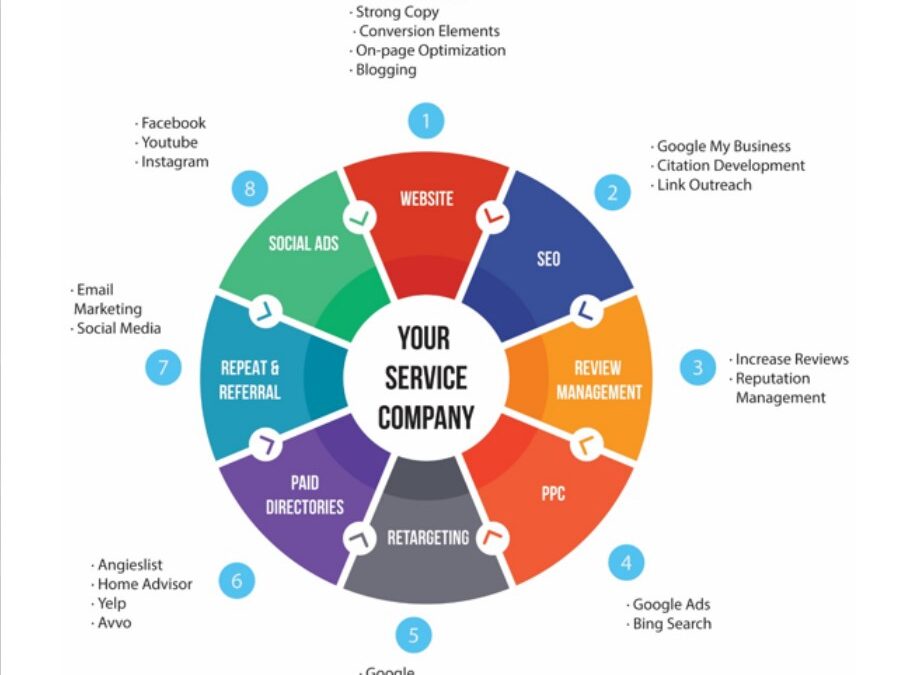
In today’s digital age, having a robust online presence is crucial for any business aiming to thrive. One of the most effective ways to achieve this is through Google Business Profile optimization. For beginners, understanding how to optimize your Google Business Profile can be a game-changer in enhancing visibility and attracting more customers. This comprehensive guide will walk you through the 10 best tips to get started.
1. Claim and Verify Your Business Profile
The first step in Google Business Profile optimization is claiming your business. This ensures that you have control over the information displayed. After claiming, verification is crucial. Google offers several verification methods, such as phone, email, or by postcard. Once verified, your business will appear on Google Maps and Google Search, which significantly boosts your visibility.
Why Verification Matters
Verification not only gives you control but also enhances trust. Customers are more likely to engage with a business that has a verified Google Business Profile. Moreover, it protects your business details from unauthorized edits.
2. Provide Complete and Accurate Information
A critical aspect of Google Business Profile optimization is ensuring that all business information is complete and accurate. This includes your business name, address, phone number, and website. Accurate information helps in improving your local search rankings and ensures that customers can easily find and contact you.
Details to Include
- Business Name: Use your official business name.
- Address: Ensure the address is correct and complete.
- Phone Number: Provide a number that connects directly to your business.
- Website: Link to your official website.
3. Utilize the Business Description
Your business description is a vital part of Google Business Profile optimization. It allows you to tell potential customers what your business is about, what services you offer, and why they should choose you. Make sure your description is concise, informative, and includes relevant keywords.
Crafting the Perfect Description
Focus on what makes your business unique. Highlight your specialties, experience, and what customers can expect when they choose your services. Keep it under 750 characters for optimal results.
4. Choose the Right Categories
Categories help Google understand what your business offers, making it easier for potential customers to find you. Selecting the right categories is a crucial step in Google Business Profile optimization. Choose categories that best represent your business, starting with a primary category and then adding secondary ones if necessary.
How to Select Categories
Your primary category should be the main descriptor of your business. Secondary categories can include additional services or products you offer, but avoid over-categorizing, which can dilute your business focus.
5. Add Photos and Videos
Visual content is a powerful tool in Google Business Profile optimization. Adding high-quality photos and videos can significantly enhance your profile, making it more engaging and attractive to potential customers. Include images of your storefront, interior, products, and team to offer a comprehensive view of your business.
The Impact of Visuals
Businesses with photos receive 42% more requests for directions and 35% more click-throughs to their websites. This clearly demonstrates the importance of visuals in attracting and retaining customer interest.
6. Encourage Customer Reviews
Reviews are an integral part of Google Business Profile optimization. They not only influence potential customers but also improve your local search ranking. Encourage satisfied customers to leave positive reviews and always respond to them, whether positive or negative, to show that you value customer feedback.
Managing Reviews
Responding to reviews helps build trust and shows potential customers that you are attentive and care about their experience. Consistent engagement with reviews can also enhance your business reputation.
7. Use Google Posts to Engage Customers
Google Posts is a feature that allows you to share updates, offers, events, and more directly on your Google Business Profile. It’s a fantastic tool for engaging with customers and keeping them informed about what’s new with your business. Regular updates can enhance your profile’s attractiveness and relevance.
Creating Effective Posts
When creating posts, use eye-catching images, include a call-to-action, and keep the text concise. Regularly update your posts to keep your audience engaged and informed.
8. Monitor Insights for Performance
Google provides insights into how customers interact with your business profile. These insights can guide your Google Business Profile optimization strategy by showing how customers find your profile, the actions they take, and which posts are most popular.
Utilizing Insights
Regularly review your insights to understand customer behavior. This data can help you refine your marketing strategies, focus on successful tactics, and improve less effective ones.
9. Maintain Consistent Business Hours
Accurate and consistent business hours are essential for customer satisfaction and trust. Update your business hours regularly, especially during holidays or special events, to ensure customers always have the latest information.
Importance of Consistency
Consistent hours help avoid customer frustration and ensure that they know exactly when they can visit or contact your business. This is a simple yet effective aspect of Google Business Profile optimization.
10. Keep Your Information Updated
Lastly, regularly update your Google Business Profile. As your business evolves, so should your profile. Update changes in your address, phone number, services, and any other relevant information promptly to keep your profile accurate and effective.
Regular Updates
Make it a habit to review your profile periodically. This ensures that your customers always have the most current information, which is crucial for maintaining trust and engagement.
In conclusion, Google Business Profile optimization is an ongoing process that requires attention and effort. By following these 10 tips, beginners can effectively enhance their online presence, attract more customers, and grow their business. Remember, a well-optimized profile not only improves your visibility but also builds trust and credibility with potential customers.